Football team management apps for amateur teams
Compare football team management apps by squad selection, shared responsibilities and match fees. Use a deputy’s handover test before choosing.

Choose a football team management app around squad decisions, shared responsibilities and match fees, with a practical selection sheet for an amateur team.
You have twenty names in the group, fourteen replies to Sunday’s fixture and room for twelve players. Someone has offered to help with the money, but only you know which payments belong to last week. Your vice-captain can see the conversation without knowing whether the latest team sheet is final. Everyone is using the same chat, yet nobody has the same picture of the team.
A football team management app should make those decisions easier to follow. For a regular adult team, I would shortlist Heja for shared team coordination, Spond for events and payment collection, TeamReach for communication, and SpinMyTeam for match rosters, balanced teams and settlements. Each needs a different check before you commit.
Choose the app your deputy can run when you are unavailable.
People → Decisions → Handover
1. Define what managing your team actually means
Start with “People”: who belongs to the team, who can play this week and who gets a place are three separate questions. Treating them as one list is how an available player ends up assuming they have been selected.
For a casual five-a-side group, places might go to the first ten registrations. For a league side, the captain might select twelve from fourteen available players. Neither rule is inherently an app feature; decide your policy before looking for the controls that support it.
Three lists an amateur team needs to distinguish
| List | Question it answers | Example, not a product limit |
|---|---|---|
| Team membership | Who belongs to the group? | Twenty regular players |
| Availability | Who could play this fixture? | Fourteen positive replies |
| Match squad | Who has a confirmed place? | Twelve selected players |
Write one sentence describing your selection rule and one naming the person who applies it. Include what happens when somebody withdraws. If you cannot explain the replacement rule to a new player, changing software will simply move the confusion to another screen.
Keep the scope proportionate. An adult social team may need a roster and a pitch bill; a club with several youth teams has additional administration and guardian relationships to evaluate separately. This guide focuses on the adult amateur team, rather than assuming one shortlist covers every club.
Read more about managing your football group for the weekly routine behind the software.
Define membership, availability and selection before comparing apps.
2. Shortlist apps by the decision you need help with
Move to “Decisions”: identify which recurring task currently depends on someone remembering a message. That is your starting point for the shortlist below, rather than an overall winner or a numerical ranking.
I build SpinMyTeam and organise a Friday indoor football group, so I have a commercial interest in one option. The third-party comparisons use published product information checked on 31 October 2026, not an identical hands-on test of every app.
Football team management apps by team requirement
| App | Why put it on your shortlist? | Decision to verify |
|---|---|---|
| Heja | Team schedules, availability and communication | Which plan gives your deputy admin access? |
| Spond | Group events and collecting payments | Do the payment terms fit your receiving account? |
| TeamReach | Shared schedules, messages and RSVP tracking | How will you distinguish replies from selected places? |
| SpinMyTeam | Match capacity, waiting list, teams and settlements | Does its registration workflow fit your selection rule? |
Heja’s plan details list one administrator on Free and unlimited administrators on Team Pro. That difference matters if two volunteers need to manage the team. Do not evaluate the free plan alone and assume the same handover will work without an upgrade.
Spond’s payment documentation explains fees based on the receiving account’s country. Put the actual transaction cost beside any subscription cost before deciding whether in-app collection fits your team.
TeamReach’s feature overview describes messages, schedules and RSVP tracking. Those are useful foundations for communication, but your trial still needs to establish how your particular squad-selection policy works.
For the broader product-by-product comparison, see apps for organising games. Here, keep each candidate tied to one decision your team struggles to complete.
Shortlist by the task and the available plan, then verify your own selection rule.
3. Give your deputy a job they can finish
“Handover” is the point where a tidy calendar becomes useful team management. A second organiser should know what they are allowed to change and what still needs the captain’s decision.
Do not share your login to achieve that. Use separate accounts and check the permissions included in the chosen plan. Ask the deputy to complete a real task while you watch, then repeat it without guidance.
A deputy’s handover test
- Find the next fixture and its current participant list
- Explain who is confirmed and who still needs a decision
- Change the venue or correct an agreed match detail
- Find the recorded amount still owed for the previous game
- Tell a player where to check their own status
Use a test event and agreed sample records where possible. You are checking whether the other organiser can find the information, not whether they remember what you told them before opening the app.
SpinMyTeam separates group administrators, moderators and players. Staff can handle match work, but the roles are not interchangeable for every group setting. Check the tasks you intend to delegate rather than handing out the highest role by default.
A useful handover note has three parts: the decision already made, the action still open and the person responsible. “Please sort Sunday” leaves all three unclear. “The twelve places are confirmed; check the replacement if Sam withdraws; Alex is handling the pitch payment” is an illustrative note with a much clearer boundary.
Choose permissions and a handover note that let a second organiser finish the work.
4. Separate a team sheet from a confirmed squad
Return to “Decisions”: a formation graphic can show where people play without proving that those people have a place. Check what happens between a reply, a confirmed squad and the teams you share before kick-off.
This is especially important when a regular group splits into two sides each week. A late withdrawal changes the people available for balancing, so yesterday’s arrangement may no longer represent tonight’s match.
The confirmed list is now updated after Sam withdrew. Alex has taken the available place. I’ll check the two teams again before sharing the final version. Please use the match list to check your place, rather than the earlier screenshot.
In SpinMyTeam, match registrations feed team preparation. A saved line-up can become stale when the underlying roster changes. That is a reason to review it, not a promise that every late change produces a suitable new team automatically.
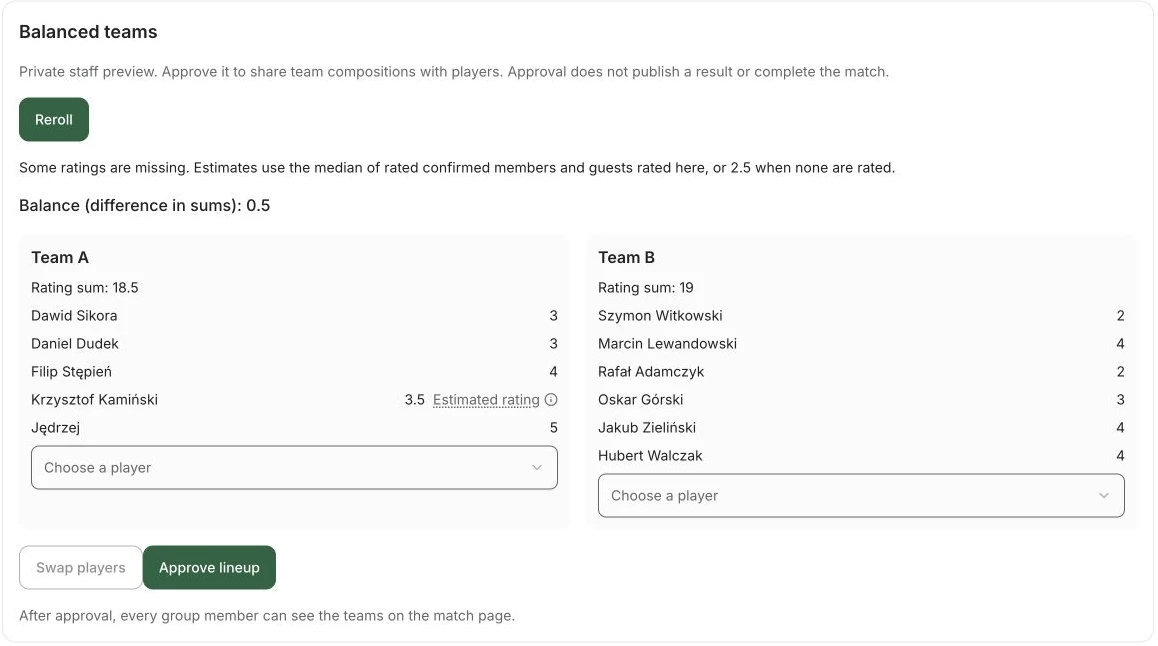
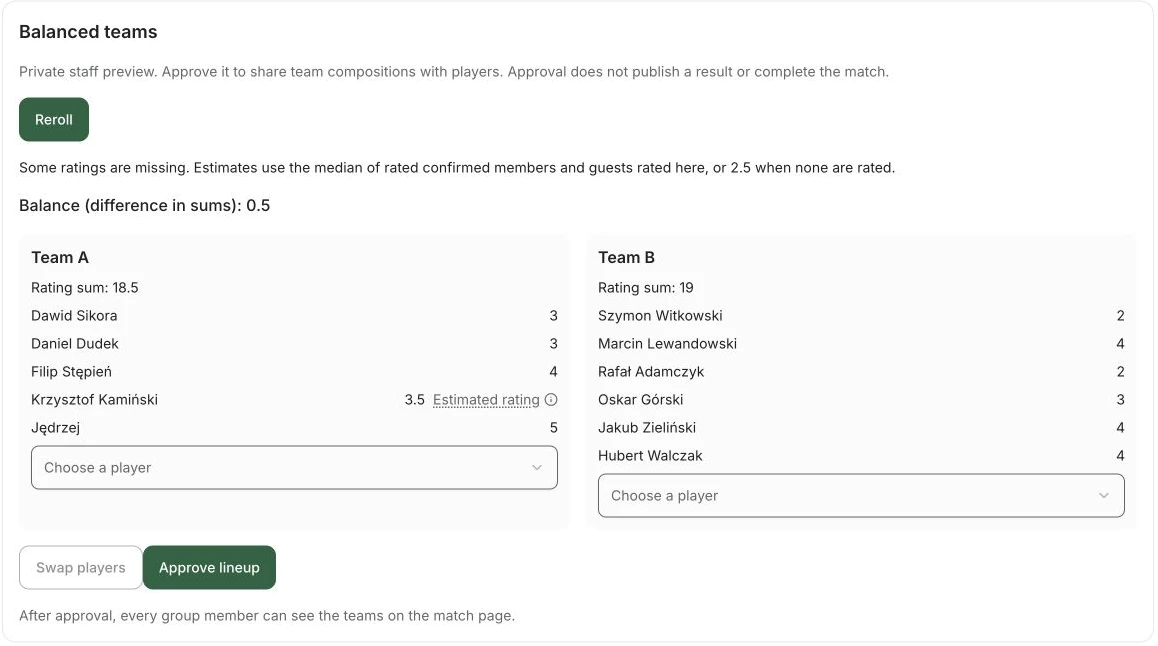
If you run a league side, make a different check: can the chosen workflow express the captain’s selection from available players? Do not assume that first-come registration is equivalent to selection. A tool suited to a weekly kickabout may still leave you handling that decision separately.
You can try SpinMyTeam when your group needs registrations, balanced sides and a match record together. Read preparing balanced football teams for the judgement that still sits behind the team sheet.
Confirm who is playing before deciding where they play.
5. Make the money record understandable to someone else
The financial part of “Handover” is whether another organiser can explain an outstanding amount. A tick beside a name is not enough if nobody knows which fixture it belongs to.
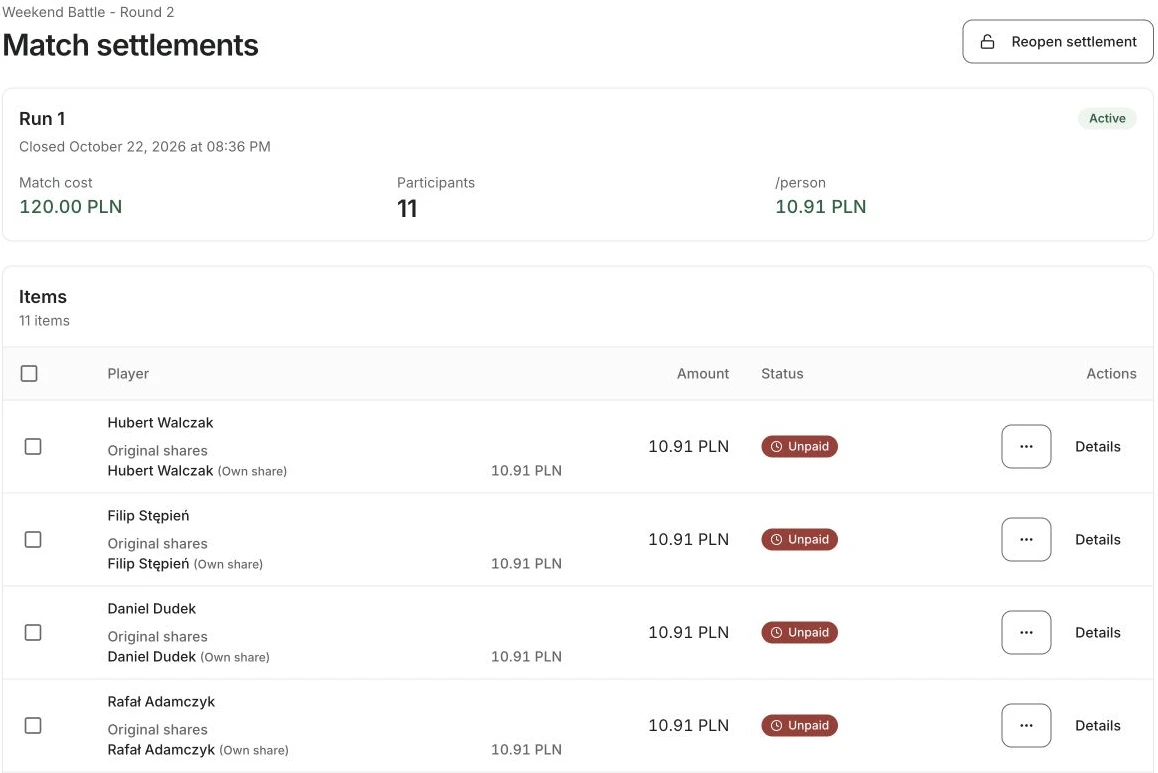
Separate collecting money from recording it. Spond documents payment processing and associated fees; SpinMyTeam records match debts and payment status without executing bank transfers or taking card payments. Decide which job you need the app to do.
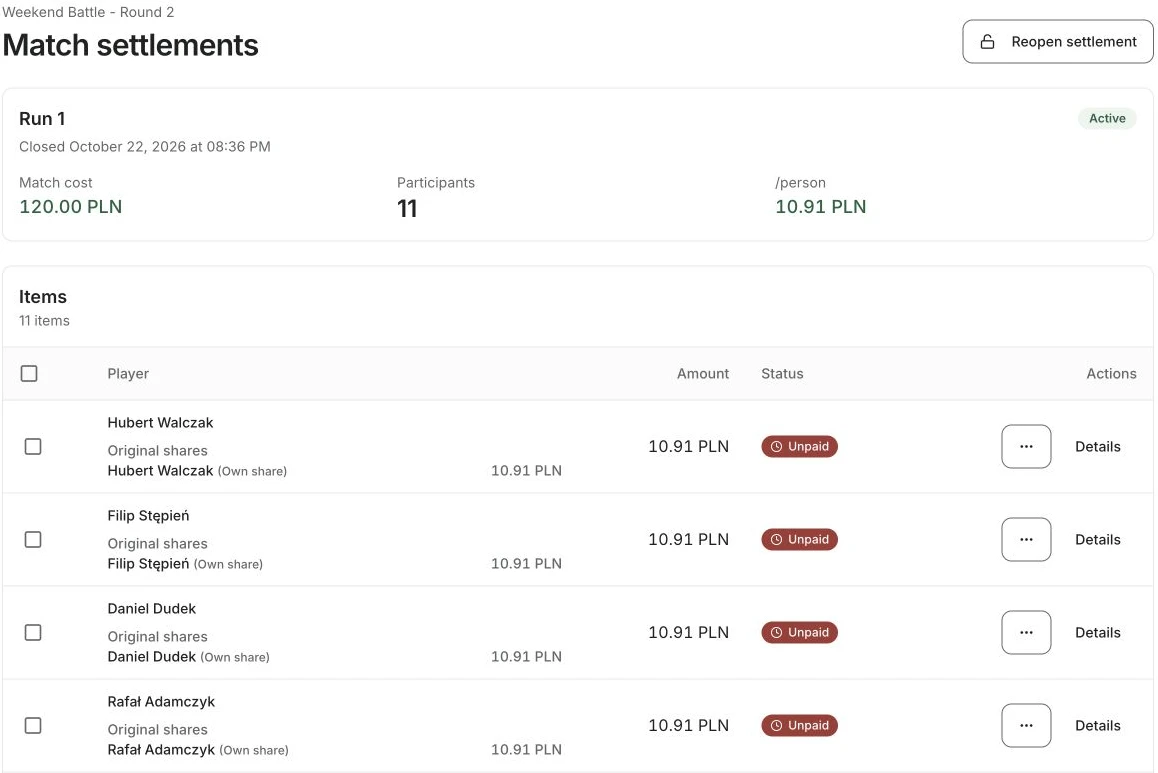
Illustrative match-fee record for a deputy
| Item | Amount or status |
|---|---|
| Pitch booking | £72 |
| Equal shares | Twelve × £6 |
| Ten confirmed payments | £60 |
| Two unpaid shares | £12 |
That example assumes equal shares and no processing fees. If somebody pays more, receives a refund or has an agreed exemption, preserve the explanation with your records. Do not silently force the total to match by marking a payment received before checking it.
Ask your deputy to identify the fixture, the outstanding players and the next action from the record alone. If they need your personal chat history, the handover is incomplete even if the app has a feature called payments.
For teams comparing paid plans, write down who pays the subscription too. A team expense and a volunteer’s personal purchase should not become indistinguishable after the first month.
Read more about splitting the pitch cost before importing an unclear charging policy into a new tool.
Choose a money workflow that explains the amount, the match and the next action.
Choosing your football team management app
- Start with your squad rule and ask a deputy to test it
- Skip features that do not solve a recurring team responsibility
- Measure how many decisions still require the main organiser after two fixtures
Which part of your team would stop working if the usual organiser missed a week?